Web App Development: Technologies, Process & Costs Explained [2026]
Web app development demystified: technologies, frameworks, process & real costs ($5K-$200K+). Your practical guide to building web applications.
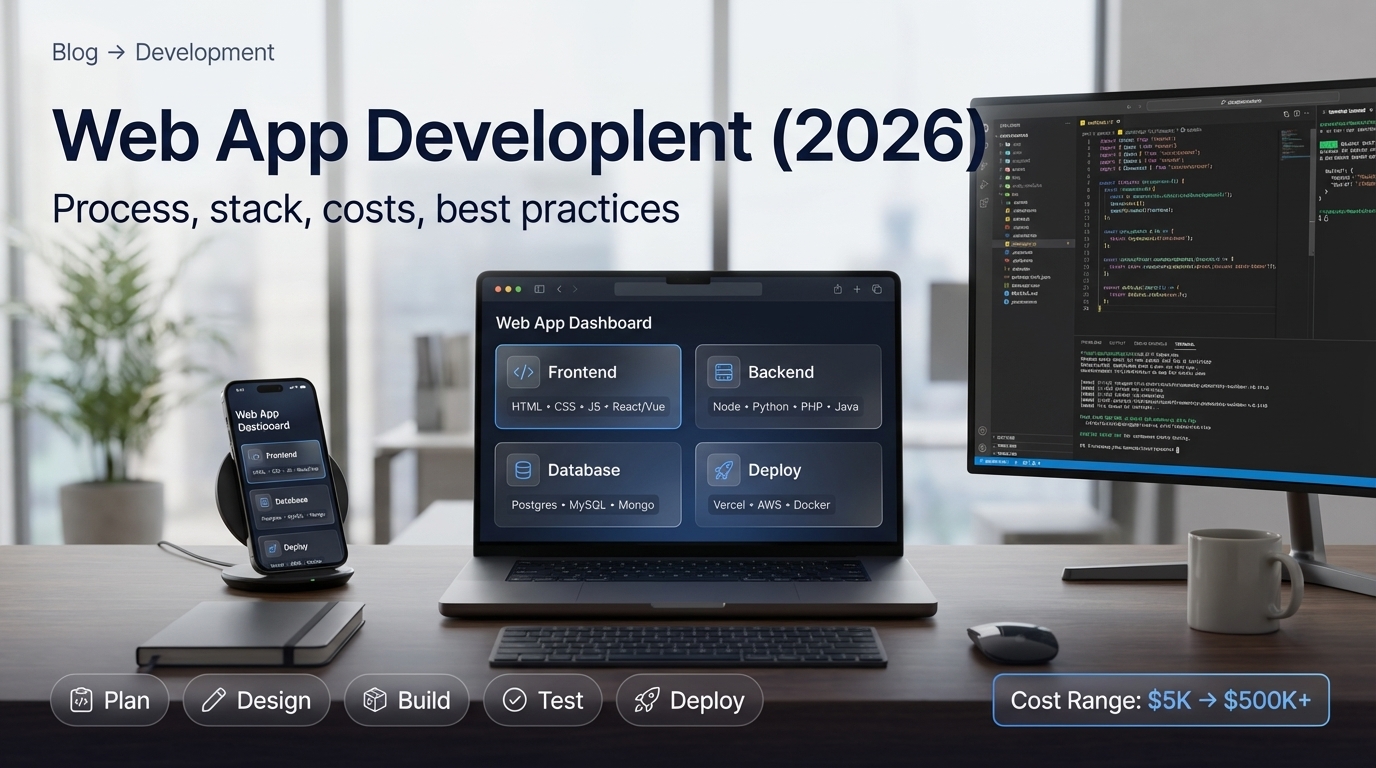
What is Web App Development? (Quick Answer)
Web app development is the process of creating applications that run in web browsers, accessible via the internet without requiring installation. Unlike native apps, web apps work across all devices and platforms using technologies like HTML, CSS, JavaScript for frontend, and server-side languages for backend.
Web app development involves building both user interfaces (frontend) and server functionality (backend), creating dynamic, interactive applications accessible from any device with a browser.
If you need custom web app development, learn more about our desarrollo de software a medida services. Check out our servicios de desarrollo de software a medida for custom solutions.
Fuentes y Recursos Externos
- Shopify Developer Documentation - Documentación oficial de Shopify para desarrolladores
- Shopify Partners - Programa oficial de partners de Shopify
- Portal del Gobierno de Chile - Información oficial sobre desarrollo de software en Chile
Understanding Web App Development
What Are Web Applications?
Web app development creates applications that:
Web App Characteristics
- Run in web browsers (Chrome, Firefox, Safari, Edge)
- Accessible via internet (no installation required)
- Work across all devices (desktop, tablet, mobile)
- Platform-independent (Windows, Mac, Linux, iOS, Android)
- Dynamic and interactive (not just static content)
- Require internet connection (usually)
- Updated centrally (no user updates needed)
- Can work offline (Progressive Web Apps)
Types of Web Applications
| Type | Description | Examples |
|---|---|---|
| Static Web Apps | Simple, content-focused applications | Portfolios, landing pages |
| Dynamic Web Apps | Interactive apps with database integration | Blogs, CMS |
| Single Page Applications (SPAs) | Load once, update dynamically | Gmail, Twitter |
| Progressive Web Apps (PWAs) | App-like experience in browser | Pinterest, Starbucks |
| E-commerce Applications | Online stores and marketplaces | Amazon, Shopify |
| SaaS Platforms | Software as a Service applications | Salesforce, Slack |
| Social Media Platforms | Social networking applications | Facebook, LinkedIn |
Web App Development Process
Complete Development Workflow
-
Planning and Requirements
Define your web app: Identify target users and their needs, List features and functionality requirements, Define technical requirements, Create project timeline and milestones, Set budget and resource allocation, Choose technology stack, Plan architecture and infrastructure. Planning phase typically takes 1-2 weeks. Clear requirements prevent scope creep and ensure project success. Create detailed specifications document.
-
Design Phase
Create visual design: Create wireframes (layout structure), Design user interface (UI), Design user experience (UX), Create prototypes for testing, Get feedback and iterate, Design responsive layouts for all devices, Plan user flows and navigation. Design phase: 2-4 weeks. Tools: Figma, Adobe XD, Sketch. Focus on usability and user experience. Mobile-first design is essential (most users on mobile).
-
Frontend Development
Build user interface: Write HTML structure, Style with CSS (or frameworks like Bootstrap, Tailwind), Add interactivity with JavaScript, Implement responsive design, Build with frameworks (React, Vue, Angular), Create reusable components, Implement routing and navigation, Optimize for performance. Frontend is what users see and interact with. Modern development uses frameworks for efficiency. Timeline: 4-12 weeks depending on complexity.
-
Backend Development
Build server functionality: Set up server and database, Develop API endpoints, Implement business logic, Handle data processing, Set up authentication and authorization, Implement security measures, Configure database queries, Set up file storage, Implement real-time features if needed. Backend handles data, logic, and server operations. Choose backend technology based on requirements. Timeline: 6-16 weeks depending on complexity.
-
Integration
Connect frontend and backend: Connect frontend to backend APIs, Test API integrations, Handle data flow, Implement error handling, Set up authentication flow, Configure CORS and security, Test end-to-end functionality. Integration phase: 2-4 weeks. Critical for app functionality. Thorough testing during integration prevents bugs.
-
Testing
Quality assurance: Unit testing (individual components), Integration testing (components working together), End-to-end testing (complete user flows), Performance testing (speed, load), Security testing (vulnerabilities), User acceptance testing (real users), Cross-browser testing, Mobile device testing. Testing phase: 2-4 weeks. Essential for quality. Fix bugs before launch. Use automated testing tools for efficiency.
-
Deployment
Launch your web app: Choose hosting platform (AWS, Google Cloud, Azure, Vercel, Netlify), Set up production environment, Configure domain and SSL, Deploy frontend and backend, Set up monitoring and logging, Configure backups, Set up CDN for performance, Launch and verify. Deployment: 1 week. Choose reliable hosting. Monitor after launch for issues.
-
Maintenance and Updates
Ongoing support: Monitor performance and errors, Fix bugs as they arise, Add new features based on user feedback, Update dependencies and security patches, Optimize performance, Scale infrastructure as needed, Provide user support, Regular backups and disaster recovery. Maintenance is ongoing. Budget 15-20% of initial cost annually for maintenance.
Technology Stack
Frontend Technologies
Summary: Frontend Technologies
| Category | Technologies | Use Cases |
|---|---|---|
| Core Languages | HTML, CSS, JavaScript | Foundation of all web apps |
| Frameworks | React, Vue.js, Angular | Modern, efficient development |
| CSS Frameworks | Bootstrap, Tailwind CSS | Quick, responsive styling |
| Build Tools | Webpack, Vite, Parcel | Optimization and bundling |
| TypeScript | Typed JavaScript | Large, complex applications |
Pro tip: For beginners, start with HTML, CSS, and JavaScript. Then learn a framework like React (most popular) or Vue.js (easier to learn). Most modern web apps use frameworks for efficiency. Choose based on project needs and team expertise.
Backend Technologies
| Technology | Language | Best For | Popularity |
|---|---|---|---|
| Node.js | JavaScript | Full-stack JavaScript, real-time apps | Very High |
| Django | Python | Rapid development, data-heavy apps | High |
| Ruby on Rails | Ruby | Rapid prototyping, startups | Medium |
| Laravel | PHP | Web applications, content management | High |
| Spring Boot | Java | Enterprise, large-scale apps | High |
| .NET | C# | Microsoft ecosystem, enterprise | Medium |
| Flask | Python | Lightweight APIs, microservices | Medium |
Database Options
Database Technologies
- PostgreSQL - Open-source SQL database (recommended)
- MySQL - Popular SQL database
- MongoDB - NoSQL document database
- Firebase - Google's backend-as-a-service
- Redis - In-memory caching database
- SQLite - Lightweight SQL for small apps
Popular Technology Stacks
Common Stack Combinations
| Stack Name | Components | Best For |
|---|---|---|
| MERN | MongoDB, Express, React, Node.js | Full-stack JavaScript |
| MEAN | MongoDB, Express, Angular, Node.js | Full-stack JavaScript |
| LAMP | Linux, Apache, MySQL, PHP | Traditional web apps |
| Django + React | Django (backend), React (frontend) | Python backend |
| Ruby on Rails + Vue | Rails (backend), Vue (frontend) | Rapid development |
| .NET + Angular | .NET (backend), Angular (frontend) | Microsoft ecosystem |
Cost Breakdown
Development Costs
Summary: Web App Development Costs
| Complexity | Cost Range | Timeline | Features |
|---|---|---|---|
| Simple Web App | $5K-$25K | 2-4 months | Basic functionality |
| Medium Complexity | $25K-$100K | 4-8 months | Custom features |
| Complex Application | $100K-$500K+ | 8-18 months+ | Enterprise features |
Pro tip: Most businesses spend $25,000-$150,000 for professional web app development. Get quotes from multiple developers. Factor in ongoing maintenance (15-20% of initial cost annually). Hourly rates: Freelancers $30-$150/hr, Agencies $100-$300/hr, Enterprise $200-$500/hr.
Cost Factors
What Affects Cost
- Project complexity and number of features
- Technology stack chosen
- Team size and expertise level
- Design requirements (simple vs custom)
- Timeline (rush projects cost 20-50% more)
- Integration needs (third-party services)
- Security and compliance requirements
- Ongoing maintenance and support needs
Web Apps vs Websites vs Native Apps
Key Differences
| Aspect | Web App | Website | Native App |
|---|---|---|---|
| Interactivity | High | Low | High |
| Installation | No | No | Yes (app store) |
| Platform | Cross-platform | Cross-platform | Platform-specific |
| Development Cost | Medium | Low | High |
| Updates | Instant | Manual | App store approval |
| Offline Access | Limited (PWAs can) | No | Yes |
| Performance | Good | Excellent | Excellent |
| Device Features | Limited | None | Full access |
Progressive Web Apps (PWAs)
What Are PWAs?
Progressive Web Apps combine the best of web and native apps:
PWA Features
- Installable on devices (home screen icon)
- Work offline with service workers
- Push notifications
- App-like interface and experience
- Fast loading and responsive
- Access device features (camera, location)
- No app store approval needed
- Cross-platform compatibility
Benefits of PWAs:
- Lower development costs than native apps
- Easier to update than native apps
- Better discoverability (no app store needed)
- Works on all platforms
Getting Started: Step-by-Step Guide
Your First Web App
-
Learn Fundamentals
Start with basics: Learn HTML (structure), Learn CSS (styling), Learn JavaScript (interactivity), Understand how browsers work, Practice building simple pages. Resources: FreeCodeCamp, MDN Web Docs, Codecademy. Foundation knowledge is essential before frameworks.
-
Choose a Framework
Learn a modern framework: React (most popular), Vue.js (easier to learn), Angular (enterprise-focused). Start with one framework, master it, then explore others. Frameworks make development much faster and more efficient.
-
Learn Backend Basics
Understand server-side development: Learn a backend language (Node.js recommended for JavaScript), Understand REST APIs, Learn database basics (SQL or NoSQL), Practice building simple APIs. Full-stack knowledge is valuable.
-
Build Projects
Practice by building: Start with simple projects (todo app, calculator), Gradually increase complexity, Build portfolio projects, Deploy to hosting (Vercel, Netlify, Heroku), Add to GitHub. Projects teach practical skills and demonstrate ability.
-
Deploy and Learn DevOps
Learn deployment: Understand Git version control, Learn about hosting platforms, Understand CI/CD basics, Learn about cloud platforms (AWS, Google Cloud), Practice deploying projects. Deployment is essential skill for developers.
Best Practices
Development Best Practices
Recommended Practices
- Write clean, maintainable code
- Use version control (Git) from day one
- Test thoroughly (unit, integration, E2E)
- Follow security best practices
- Optimize for performance (speed, size)
- Design mobile-first (responsive)
- Use HTTPS for security
- Implement proper error handling
- Document your code
- Follow accessibility standards (WCAG)
FAQ
Frequently asked questions
What is web app development?
Web app development is the process of creating applications that run in web browsers, accessible via the internet without requiring installation. Unlike native apps, web apps work across all devices and platforms. Web app development involves: Frontend development (user interface) using HTML, CSS, JavaScript, Backend development (server, database, APIs), Full-stack development combining both, Technologies like React, Vue, Angular for frontend, Node.js, Python, Ruby for backend, Database integration (SQL, NoSQL), API development and integration, Responsive design for all devices, Security implementation, Testing and quality assurance. Web apps are platform-independent, easier to maintain than native apps, and accessible from any device with a browser. Types include: Static web apps, Dynamic web apps, Single Page Applications (SPAs), Progressive Web Apps (PWAs), E-commerce applications, SaaS platforms.
How do you develop a web application?
To develop a web application: 1) Plan and define requirements (features, target users, goals), 2) Choose technology stack (frontend framework, backend language, database), 3) Design user interface and user experience (wireframes, prototypes), 4) Set up development environment (IDE, version control, tools), 5) Build frontend (HTML, CSS, JavaScript, framework), 6) Develop backend (server, API, database), 7) Integrate frontend and backend, 8) Implement authentication and security, 9) Test thoroughly (unit tests, integration tests, user testing), 10) Deploy to hosting (cloud platforms, servers), 11) Monitor and maintain. Process includes: Planning phase (1-2 weeks), Design phase (2-4 weeks), Development phase (8-24 weeks depending on complexity), Testing phase (2-4 weeks), Deployment and launch (1 week), Ongoing maintenance. Timeline: Simple web apps: 2-4 months, Medium complexity: 4-8 months, Complex applications: 8-18 months+. Cost ranges from $5,000 for simple apps to $500,000+ for enterprise applications.
What technologies are used in web app development?
Technologies used in web app development include: Frontend: HTML, CSS, JavaScript (core languages), React, Vue.js, Angular (frameworks), TypeScript (JavaScript superset), Bootstrap, Tailwind CSS (CSS frameworks), Webpack, Vite (build tools). Backend: Node.js, Python (Django, Flask), Ruby (Ruby on Rails), PHP (Laravel), Java (Spring), C# (.NET), Go, Rust. Databases: PostgreSQL, MySQL (SQL databases), MongoDB, Firebase (NoSQL databases), Redis (caching). DevOps: Git (version control), Docker (containerization), AWS, Google Cloud, Azure (cloud platforms), CI/CD pipelines. Additional: REST APIs, GraphQL, WebSockets, OAuth for authentication, SSL/TLS for security. Popular stacks: MERN (MongoDB, Express, React, Node.js), MEAN (MongoDB, Express, Angular, Node.js), LAMP (Linux, Apache, MySQL, PHP), Django + React, Ruby on Rails. Choose technologies based on project requirements, team expertise, scalability needs, and budget.
How much does web app development cost?
Web app development costs vary: Simple web apps: $5,000-$25,000 (basic functionality, 2-4 months), Medium complexity: $25,000-$100,000 (custom features, 4-8 months), Complex applications: $100,000-$500,000+ (enterprise, 8-18 months+). Cost factors: Project complexity and features, Team size and expertise, Technology stack chosen, Timeline and urgency, Design requirements, Integration needs, Ongoing maintenance. Development costs breakdown: Planning and design (10-15%), Frontend development (25-30%), Backend development (30-35%), Testing and QA (10-15%), Deployment (5-10%), Ongoing maintenance (15-20% annually). Hourly rates: Freelancers ($30-$150/hr), Agencies ($100-$300/hr), Enterprise teams ($200-$500/hr). Additional costs: Domain and hosting ($100-$1,000+/year), Third-party services and APIs ($50-$500+/month), Maintenance and updates ($5,000-$50,000+/year). Most businesses spend $25,000-$150,000 for professional web app development.
What's the difference between web apps and websites?
Differences between web apps and websites: Websites: Static content, mainly informational, Limited interactivity, Content-focused, Examples: blogs, corporate sites, portfolios. Web apps: Dynamic functionality, Interactive features, User accounts and data, Task-focused, Examples: Gmail, Google Docs, social media platforms. Key differences: Interactivity - Web apps have complex user interactions, websites are mostly viewing, Functionality - Web apps perform tasks (calculations, data processing), websites display information, User accounts - Web apps require login and store user data, websites typically don't, Updates - Web apps update content dynamically, websites require manual updates, Performance - Web apps need optimized performance for tasks, websites focus on loading speed. Many modern sites blur the line (web apps with content, websites with apps). Progressive Web Apps (PWAs) combine best of both worlds.
What is a Progressive Web App (PWA)?
A Progressive Web App (PWA) is a web application that uses modern web capabilities to provide an app-like experience. PWAs combine features of web apps and native apps: Work offline with service workers, Installable on devices (home screen icon), Fast loading and responsive, Push notifications, App-like interface, Access device features (camera, geolocation). Benefits: No app store approval needed, Cross-platform (works on all devices), Easier to update than native apps, Lower development costs than native apps, Better discoverability than native apps. Technologies: Service Workers (offline functionality), Web App Manifest (installation), HTTPS (required for service workers), Responsive design. Examples: Twitter Lite, Pinterest, Starbucks. PWAs are built using standard web technologies (HTML, CSS, JavaScript) with PWA features added. They're increasingly popular for businesses wanting native-like experiences without app store complexities.
Conclusion
Web app development creates applications accessible via browsers, working across all devices and platforms. Modern web app development uses frameworks like React, Vue, and Angular for efficient development, with backend technologies like Node.js, Python, and various databases.
Key takeaways:
- Web apps run in browsers, no installation required
- Development process includes planning, design, frontend/backend development, testing, and deployment
- Technology stacks vary (MERN, MEAN, Django+React are popular)
- Costs range from $5,000 for simple apps to $500,000+ for enterprise
- Progressive Web Apps combine web and native app benefits
- Best practices include testing, security, performance optimization, and mobile-first design
Our recommendation: Start by learning HTML, CSS, and JavaScript fundamentals. Then choose a framework (React is most popular, Vue.js is easier for beginners). Learn backend basics with Node.js or Python. Build practice projects to learn. Deploy projects to hosting platforms for real-world experience. Most importantly, practice consistently - build projects, even small ones. Web app development requires continuous learning as technology evolves. Consider taking structured courses or working with experienced developers to accelerate learning. For businesses, hiring professional developers ($25,000-$150,000 typical) ensures quality results and saves time.
Ready to start your web app development journey? Begin with the fundamentals, choose your technology stack, and start building projects today!