iPhone Web App Development: Build & Deploy iOS-Optimized Apps [2026]
Create iPhone-optimized web apps: technologies, process, best practices & costs. Native feel without App Store approval.
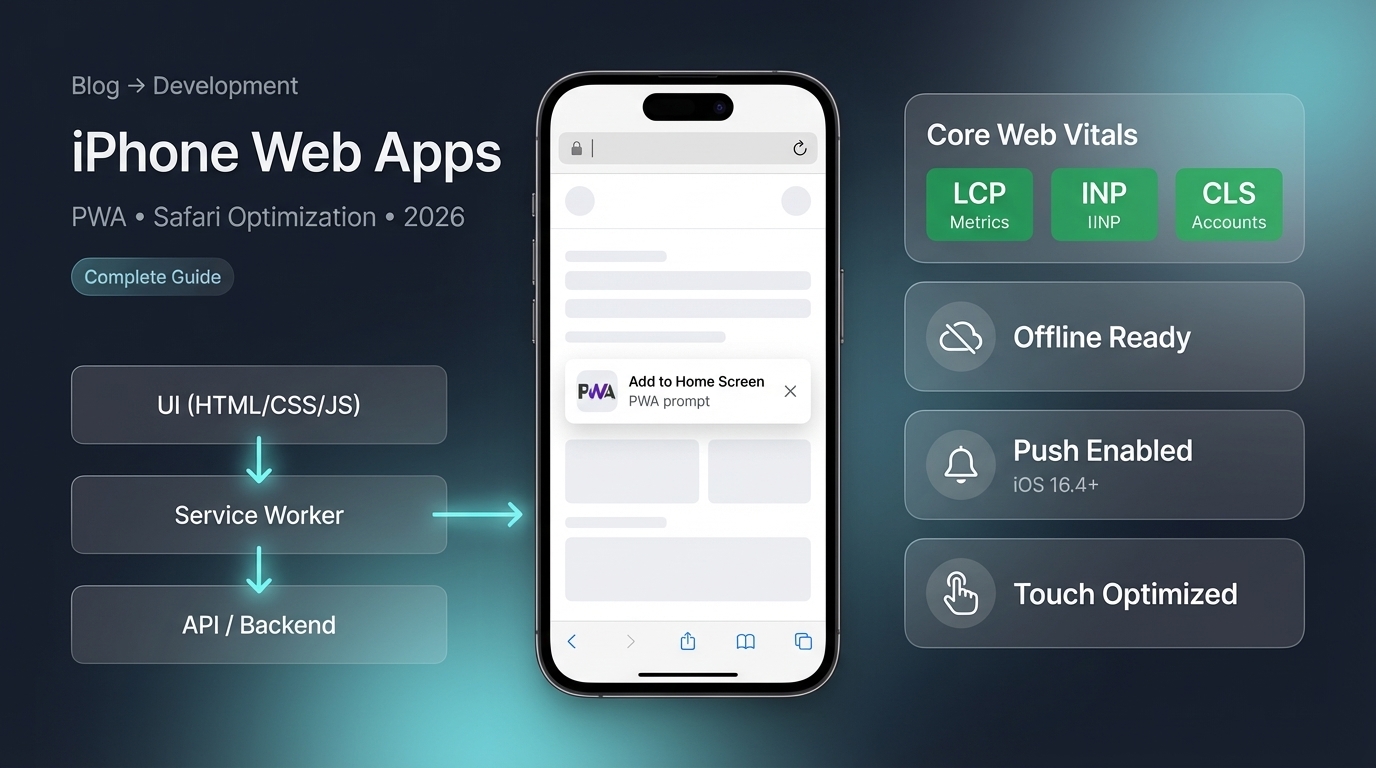
iPhone Web App Development: Complete Guide (Quick Answer)
iPhone web app development is the process of creating web applications optimized for iPhone devices and iOS Safari browser. iPhone web apps use standard web technologies (HTML, CSS, JavaScript) and can be enhanced with Progressive Web App (PWA) features for an app-like experience.
iPhone web app development focuses on responsive design, Safari optimization, touch interactions, and PWA features. Development costs range from $5,000-$150,000+ and is typically 30-50% cheaper than native iOS apps.
If you need custom web app development, learn more about our desarrollo de software a medida services. Check out our servicios de desarrollo de software a medida for custom solutions.
Understanding iPhone Web App Development
What Are iPhone Web Apps?
iPhone web apps are web applications optimized for iPhone devices:
iPhone Web App Characteristics
- Run in Safari browser on iPhone
- Responsive design for iPhone screen sizes
- Touch-optimized user interfaces
- Can be added to iPhone home screen
- Work across all iPhone models
- No App Store submission required
- Instant updates without App Store approval
- Access to some iOS features (camera, location, etc.)
- Can work offline (with PWA features)
- Push notifications (iOS 16.4+ with PWA)
Web App vs Native iOS App
| Aspect | Web App | Native iOS App |
|---|---|---|
| Development Cost | $5K-$100K | $20K-$200K+ |
| Development Time | 2-6 months | 4-12 months |
| Technologies | HTML, CSS, JavaScript | Swift, Objective-C |
| App Store | Not required | Required |
| Updates | Instant | App Store approval |
| Performance | Good | Best |
| iOS Features | Limited | Full access |
| Cross-Platform | Yes (Android too) | iOS only |
| Offline | With PWA | Native offline |
iPhone Web App Development Process
Complete Development Workflow
-
Plan and Design for iPhone
Design for iPhone screens: Research iPhone screen sizes (iPhone SE to iPhone Pro Max), Create mobile-first responsive design, Design for touch interactions (larger buttons, swipe gestures), Plan for portrait and landscape orientations, Consider notch and safe areas, Design for various iPhone models, Create wireframes for iPhone screens. iPhone web apps must work across all iPhone sizes. Mobile-first design ensures good experience on all devices.
-
Choose Technology Stack
Select development technologies: Frontend framework (React, Vue.js, Angular recommended), HTML5 and CSS3, JavaScript (ES6+), PWA technologies (service workers, web manifest), Responsive CSS framework (Bootstrap, Tailwind CSS), Build tools (Webpack, Vite). Recommendation: React or Vue.js for modern web app development. These frameworks work well with PWA features and provide good performance on iPhone.
-
Develop Responsive Web Application
Build your web app: Create mobile-first responsive layout, Implement touch-optimized UI components, Add swipe gestures and touch interactions, Optimize for portrait orientation (primary use), Ensure responsive images and media, Implement smooth scrolling and animations, Test on various screen sizes, Use CSS media queries for breakpoints. Responsive design is critical for iPhone web apps. Test on actual iPhone devices throughout development.
-
Optimize for iOS Safari
Safari-specific optimizations: Test thoroughly in Safari browser, Handle Safari-specific CSS issues, Optimize for Safari rendering engine, Handle iOS viewport and zoom behavior, Fix Safari-specific JavaScript issues, Optimize for Safari's JavaScript engine, Test touch events in Safari, Handle Safari's caching behavior. Safari has some unique behaviors - thorough testing is essential. Use Safari Developer Tools for debugging.
-
Implement Progressive Web App (PWA) Features
Add PWA capabilities: Create Web App Manifest (defines app appearance, icons, name), Implement Service Workers (offline functionality, caching), Enable 'Add to Home Screen' functionality, Add app icons for home screen, Configure app colors and theme, Set up offline fallback pages, Implement caching strategies, Test offline functionality. PWA features make web app feel like native app. Users can install to home screen.
-
Add iOS-Specific Features
Integrate iOS capabilities: Access device camera (for photo uploads), Use geolocation (location services), Implement push notifications (iOS 16.4+), Add touch ID/Face ID integration (if needed), Use device sensors (gyroscope, accelerometer), Access contacts (with permission), Share functionality (iOS share sheet), iOS features enhance web app capabilities. Request permissions properly.
-
Optimize Performance
Ensure fast performance: Minimize JavaScript bundle size, Optimize images (WebP format, lazy loading), Minimize CSS and use critical CSS, Implement code splitting, Use CDN for asset delivery, Optimize API calls, Minimize network requests, Implement caching strategies, Test performance on actual iPhone devices. iPhone web apps must load quickly. Performance directly impacts user experience.
-
Test on iPhone Devices
Thorough iPhone testing: Test on multiple iPhone models (various screen sizes), Test in Safari browser (primary browser), Test different iOS versions, Test touch interactions and gestures, Test offline functionality (if PWA), Test 'Add to Home Screen' feature, Test performance and load times, Test all features on actual devices. Real device testing is essential. Simulators help but real devices reveal actual behavior.
-
Deploy and Host
Launch your web app: Choose reliable hosting (AWS, Google Cloud, Netlify, Vercel), Set up HTTPS (required for PWAs), Configure domain and SSL certificate, Deploy frontend assets, Set up backend if needed, Configure CDN for performance, Test production deployment, Monitor performance and errors. HTTPS is mandatory for PWA features. Choose hosting optimized for web apps.
Progressive Web App (PWA) for iPhone
PWA Features on iPhone
Progressive Web Apps provide app-like experience on iPhone:
PWA Features Available on iPhone
- Add to Home Screen (install web app)
- Offline functionality (via service workers)
- Push notifications (iOS 16.4+)
- App-like interface (full-screen mode)
- Fast loading and performance
- App icons and splash screens
- Background sync capabilities
- No App Store submission needed
PWA Implementation for iPhone
| Feature | iOS Support | Version |
|---|---|---|
| Service Workers | Yes | iOS 11.3+ |
| Web App Manifest | Yes | iOS 11.3+ |
| Add to Home Screen | Yes | iOS 11.3+ |
| Push Notifications | Yes | iOS 16.4+ |
| Offline Mode | Yes | iOS 11.3+ |
| Background Sync | Limited | iOS 12+ |
Technology Stack
Recommended Technologies
Summary: Technology Stack for iPhone Web Apps
| Category | Technologies | Purpose |
|---|---|---|
| Frontend Framework | React, Vue.js, Angular | Build web app |
| PWA | Service Workers, Web Manifest | App-like experience |
| CSS Framework | Bootstrap, Tailwind CSS | Responsive design |
| Build Tool | Webpack, Vite | Optimization |
| Hosting | Netlify, Vercel, AWS | Deployment |
Pro tip: Use React or Vue.js for modern web app development - they work well with PWA features and provide good performance on iPhone. Add PWA capabilities (service workers, web manifest) for app-like experience. Use responsive CSS frameworks for mobile-first design. Test thoroughly on actual iPhone devices.
Essential Technologies
Core Technologies
- HTML5 (semantic markup)
- CSS3 (responsive design, animations)
- JavaScript (ES6+, modern features)
- React, Vue.js, or Angular (frameworks)
- Service Workers (PWA offline functionality)
- Web App Manifest (PWA installation)
- Responsive CSS framework (Bootstrap, Tailwind)
- Build tools (Webpack, Vite)
Essential Features for iPhone Web Apps
Core Features
Essential Features
- Responsive design for all iPhone sizes
- Touch-optimized user interface
- Fast loading and performance
- Safari browser compatibility
- PWA features (install to home screen)
- Offline functionality (with PWA)
- Smooth animations and transitions
- Optimized images and assets
Cost Breakdown
Development Costs
Summary: iPhone Web App Development Costs
| Complexity | Cost Range | Timeline | Features |
|---|---|---|---|
| Simple Web App | $5K-$20K | 2-3 months | Basic features |
| Medium Complexity | $20K-$60K | 3-5 months | Advanced features |
| Complex Web App | $60K-$150K+ | 5-8 months | Full-featured |
Pro tip: iPhone web apps are typically 30-50% cheaper than native iOS apps. Most businesses spend $20,000-$60,000 for professional iPhone web app development. Cost factors: complexity, design, PWA features, iOS optimizations. Factor in ongoing costs: hosting ($50-$500/month), maintenance ($2K-$10K/month).
Cost Factors
What Affects Cost
- Complexity and number of features
- Design requirements and UI/UX
- PWA features implementation
- iOS Safari-specific optimizations
- Backend development needs
- Integration requirements
- Timeline and urgency
iOS Safari Optimization
Safari-Specific Considerations
Safari Optimization Tips
- Handle Safari viewport and zoom behavior
- Fix Safari-specific CSS issues
- Optimize for Safari's JavaScript engine
- Test touch events in Safari
- Handle Safari's caching behavior
- Optimize for Safari rendering engine
- Use Safari Developer Tools for debugging
- Test in both Safari and Chrome (for comparison)
Best Practices
Development Best Practices
Recommended Practices
- Use mobile-first responsive design
- Optimize for Safari browser specifically
- Test on actual iPhone devices (not just simulators)
- Implement PWA features for app-like experience
- Optimize performance (fast loading critical)
- Use touch-friendly UI elements (larger buttons)
- Optimize images and assets for mobile
- Implement offline functionality with service workers
- Minimize JavaScript and CSS bundle sizes
- Use lazy loading for images and content
FAQ
Frequently asked questions
What is iPhone web app development?
iPhone web app development is the process of creating web applications specifically optimized for iPhone devices and iOS Safari browser. iPhone web apps are web applications that work in mobile browsers, optimized for iPhone's screen sizes, Safari browser features, and iOS capabilities. iPhone web app development involves: Responsive web design for iPhone screen sizes, iOS Safari optimization and compatibility, Progressive Web App (PWA) features for app-like experience, Touch-optimized user interfaces, iOS-specific features integration (camera, geolocation, etc.), Performance optimization for iPhone hardware, Apple App Store alternative (web apps don't require App Store submission). Web apps for iPhone use standard web technologies (HTML, CSS, JavaScript) and can be accessed via Safari browser. They can be added to iPhone home screen for app-like experience. Development is typically faster and cheaper than native iOS apps, with costs ranging from $5,000-$100,000+ depending on complexity.
How do you develop a web app for iPhone?
To develop a web app for iPhone: 1) Plan and design for iPhone screen sizes (various iPhone models), 2) Use responsive web design (mobile-first approach), 3) Optimize for iOS Safari browser, 4) Implement Progressive Web App (PWA) features (service workers, web manifest), 5) Add touch-optimized interactions, 6) Test on actual iPhone devices, 7) Optimize performance for iPhone hardware, 8) Add iOS-specific features (camera, geolocation, push notifications), 9) Create web app manifest for home screen installation, 10) Test thoroughly in Safari browser, 11) Deploy to web hosting. Technologies: HTML5, CSS3, JavaScript (React, Vue, Angular), PWA features (service workers), Responsive frameworks (Bootstrap, Tailwind CSS). Development focuses on: Mobile-first responsive design, Safari browser compatibility, Touch interactions, Performance optimization, iOS feature integration. Cost: $5,000-$100,000+ depending on complexity. Timeline: 2-6 months typically.
What's the difference between iPhone web app and native iOS app?
Differences between iPhone web apps and native iOS apps: iPhone Web Apps: Built with web technologies (HTML, CSS, JavaScript), Work in Safari browser, No App Store submission required, Faster and cheaper to develop ($5K-$100K), Cross-platform (work on Android too), Easier to update (instant updates), Limited access to iOS features, Performance may be slower, Require internet connection (unless PWA with offline). Native iOS Apps: Built with Swift or Objective-C, Installed from App Store, App Store approval required, Slower and more expensive ($20K-$200K+), iOS-only, Updates require App Store approval, Full access to iOS features, Best performance, Can work offline. Choose web apps for: Faster development, Lower cost, Cross-platform needs, Easier updates, No App Store approval. Choose native apps for: Maximum performance, Full iOS features, App Store presence, Offline-first apps.
Can you make a Progressive Web App (PWA) for iPhone?
Yes, you can create Progressive Web Apps (PWAs) for iPhone. PWAs provide app-like experience in Safari browser: Installable (add to home screen), Work offline with service workers, Push notifications (iOS 16.4+), App-like interface, Fast loading, No App Store submission needed. PWA features for iPhone: Web App Manifest (defines app appearance), Service Workers (offline functionality, caching), Responsive design (all iPhone sizes), HTTPS required (security), Touch-optimized UI. iOS Safari PWA support: Service Workers: Supported (iOS 11.3+), Add to Home Screen: Supported, Push Notifications: Supported (iOS 16.4+), Offline mode: Supported via service workers, App-like experience: Yes. PWAs for iPhone are increasingly popular, especially since iOS 16.4 added push notification support. PWAs offer native-like experience without App Store approval process.
What technologies are used for iPhone web app development?
Technologies for iPhone web app development: Frontend frameworks: React, Vue.js, Angular (for building web apps), HTML5, CSS3, JavaScript (core web technologies), Progressive Web App (PWA) technologies: Service Workers (offline functionality), Web App Manifest (home screen installation), Responsive frameworks: Bootstrap, Tailwind CSS (mobile-first design), JavaScript libraries: For touch interactions, animations, Build tools: Webpack, Vite (bundling and optimization), Testing: Browser testing tools, iPhone simulators. Recommended stack: React or Vue.js + PWA features + Responsive CSS framework. Best practices: Mobile-first responsive design, Optimize for Safari browser, Test on actual iPhone devices, Use touch-friendly UI elements, Optimize images and assets, Minimize JavaScript and CSS, Use lazy loading for performance. Technologies must be optimized for iOS Safari and iPhone hardware for best performance.
How much does iPhone web app development cost?
iPhone web app development costs: Simple web app: $5,000-$20,000 (basic features, 2-3 months), Medium complexity: $20,000-$60,000 (advanced features, 3-5 months), Complex web app: $60,000-$150,000+ (full-featured, 5-8 months). Cost factors: Complexity and number of features, Design requirements, PWA features implementation, iOS-specific optimizations, Integration needs, Timeline and urgency, Developer expertise. Cost breakdown: Frontend development: 40-50%, Backend development: 25-30%, Design and UX: 15-20%, Testing and optimization: 10-15%, Deployment: 5%. Additional costs: Hosting ($50-$500/month), Domain ($10-$50/year), Third-party services, Ongoing maintenance ($2,000-$10,000/month). iPhone web apps are typically 30-50% cheaper than native iOS apps. Most businesses spend $20,000-$60,000 for professional iPhone web app development.
Conclusion
iPhone web app development creates web applications optimized for iPhone devices and Safari browser. With Progressive Web App (PWA) features, iPhone web apps can provide app-like experiences without App Store submission.
Key takeaways:
- Web apps are cheaper - 30-50% less expensive than native iOS apps
- No App Store needed - Instant deployment without approval process
- PWA features - Add to home screen, offline mode, push notifications (iOS 16.4+)
- Cross-platform - Same web app works on Android too
- Development cost - $5,000-$150,000+ depending on complexity
- Faster development - 2-6 months vs 4-12 months for native
- Safari optimization - Critical for iPhone web apps
Our recommendation: Choose iPhone web app development if you need faster, cheaper development and cross-platform support. Use React or Vue.js for modern development. Implement PWA features (service workers, web manifest) for app-like experience. Optimize specifically for Safari browser - test thoroughly on actual iPhone devices. Focus on mobile-first responsive design and touch-optimized interactions. Most businesses spend $20,000-$60,000 for professional iPhone web app development. While native iOS apps offer best performance, web apps provide excellent value with good performance and easier maintenance.
Ready to start your iPhone web app development? Follow this guide and create a web app optimized for iPhone devices!