How to Get Started in E-commerce: Complete Beginner's Guide 2026 - Open Your Online Store
Complete guide on how to get started in ecommerce: how to open ecommerce store, how to open ecommerce business, step-by-step process, platform selection, and everything beginners need to know to launch successfully.
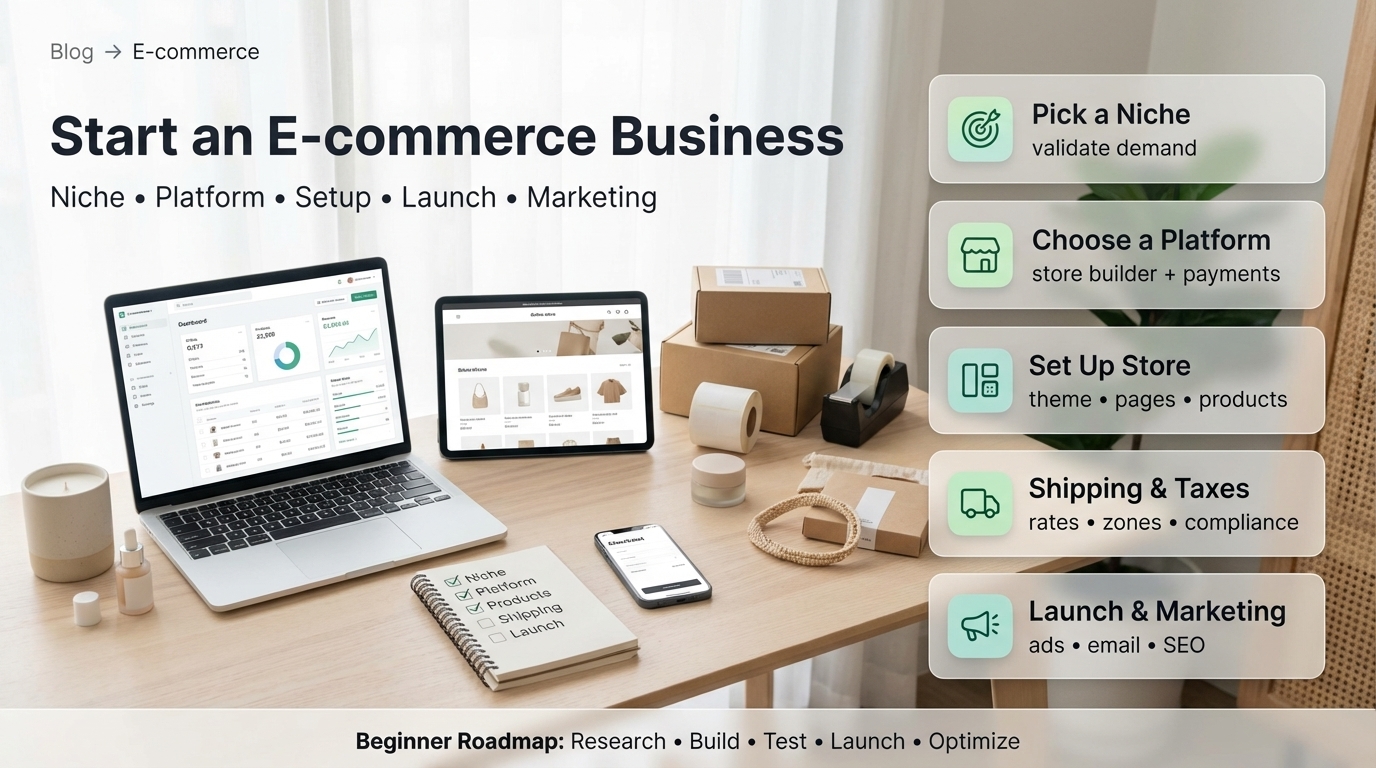
How to Get Started in E-commerce: Complete Guide (Quick Answer)
How to get started in ecommerce? Follow these steps: 1) Choose your niche and validate demand, 2) Select an ecommerce platform (Shopify recommended), 3) Register your business, 4) Set up your online store, 5) Add products, 6) Configure payments and shipping, 7) Launch and market.
To open an ecommerce store, use platforms like Shopify that handle technical setup. To open an ecommerce business, also register your business legally. Most beginners can launch in 2-4 weeks with $2,000-$10,000 initial investment.
If you’re using Shopify, learn more about our Shopify development services to help you build a successful e-commerce store. Check out our Shopify development services for custom solutions.
Fuentes y Recursos Externos
- Shopify Developer Documentation - Documentación oficial de Shopify para desarrolladores
- Shopify Partners - Programa oficial de partners de Shopify
- Portal del Gobierno de Chile - Información oficial sobre desarrollo de software en Chile
Getting Started: Overview
What You’ll Need
To get started in ecommerce, you’ll need:
Essential Requirements
- Business idea and product niche
- Ecommerce platform account ($29-$299/month)
- Domain name ($10-$50/year)
- Products (inventory or supplier)
- Payment processing (Stripe, PayPal)
- Shipping solution
- Business registration (for business setup)
- Marketing budget ($500-$10,000 initial)
- Time investment (2-8 weeks setup, ongoing operations)
- Initial capital ($2,000-$10,000 recommended)
Step-by-Step: How to Get Started in E-commerce
Complete Beginner’s Process
-
Choose Your Product Niche
Select what you'll sell: Research market demand (Google Trends, Amazon Best Sellers), Identify underserved niches, Consider your interests and expertise, Analyze competition levels, Validate with potential customers, Choose products with good profit margins (30-50%+), Start with 5-20 products initially. Don't try to sell everything - focus on one niche first. Popular niches: Fashion and accessories, Health and beauty, Home and garden, Electronics and gadgets, Pet supplies, Fitness and sports, Baby products. Use tools like [Google Trends](https://trends.google.com) and Amazon Best Sellers to research demand.
-
Validate Your Business Idea
Test before full investment: Survey potential customers, Check competitor pricing and offerings, Estimate demand and market size, Calculate potential profit margins, Test with small order or sample, Create landing page to gauge interest, Run small paid ad test, Get feedback from target audience. Validation prevents costly mistakes. Minimum viable validation: Talk to 20+ potential customers, Analyze 5-10 competitors, Test with $100-$500 ad spend. Successful validation shows clear customer interest and profitable pricing.
-
Choose Your Ecommerce Platform
Select platform to open ecommerce store: Shopify - Best for beginners ($29/month, easy setup, all-in-one), WooCommerce - WordPress integration (free platform, technical), BigCommerce - Mid-size businesses ($29/month, no fees), Squarespace - Design-focused ($23/month, limited features), Wix - Drag-and-drop ($27/month, beginner-friendly). Recommendation: Start with Shopify for easiest setup. Key factors: Ease of use, Cost, Features needed, Scalability, Support quality. All platforms offer free trials - test before committing. Sign up at [shopify.com](https://www.shopify.com) to start.
-
Register Your Business (For E-commerce Business)
Legal setup if opening ecommerce business: Choose business structure (LLC, sole proprietorship, corporation), Register business name with state, Get EIN from IRS (free), Obtain business licenses and permits, Set up business bank account, Register for sales tax (if required), Get business insurance, Trademark your brand (optional). For sole proprietorships, you can start selling immediately but registration protects you. LLC recommended for asset protection. Use services like [LegalZoom](https://www.legalzoom.com) or [Northwest Registered Agent](https://www.northwestregisteredagent.com) for help. Timeline: 1-3 weeks. Cost: $100-$1,000 depending on state and structure.
-
Set Up Your Online Store
Build your store: Choose store name and purchase domain, Select and customize theme (use templates), Set up store navigation and pages, Configure store settings (currency, language, timezone), Add your logo and branding, Create homepage with clear value proposition, Set up product categories, Add essential pages (About, Contact, Shipping, Returns, Privacy Policy). Use platform templates to start quickly - customize later. Essential pages: Homepage (clear what you sell), Product pages (detailed descriptions, images), About page (build trust), Contact page (customer support), Legal pages (terms, privacy, returns). Setup time: 3-7 days with templates.
-
Add Products to Your Store
Populate your catalog: Create compelling product titles, Write detailed product descriptions, Add high-quality product images (5-8 per product), Set competitive pricing, Add product variants (sizes, colors), Configure inventory tracking, Add SEO-friendly URLs and meta descriptions, Set up product categories and tags. Product quality matters - invest in good photography. Tools: Use Canva for basic edits, [Remove.bg](https://www.remove.bg) for backgrounds. For dropshipping, suppliers often provide images. Start with 10-20 products, expand based on performance.
-
Set Up Payment Processing
Accept payments: Choose payment gateway (Stripe recommended, PayPal also popular), Connect to your store, Configure payment methods (credit cards, PayPal, Apple Pay, etc.), Set up currency options, Test payment flow thoroughly, Configure refund and dispute handling, Set up payment notifications. Most platforms integrate payment processing automatically. Shopify Payments is easiest for Shopify stores. PayPal is essential for trust. Enable multiple payment options for higher conversion. Fees: 2.9% + $0.30 per transaction typical.
-
Configure Shipping and Fulfillment
Set up delivery: Choose shipping carriers (USPS, UPS, FedEx), Set shipping rates (free, flat rate, calculated), Configure shipping zones, Set up packaging and handling, Configure order fulfillment process, Set up tracking notifications, Consider fulfillment services (if needed), Test shipping calculations. Shipping options: Free shipping (builds into prices), Flat rate (simple for customers), Calculated (accurate but complex). Dropshipping: Suppliers handle shipping. Own inventory: Use carrier accounts. Start simple, optimize later.
-
Set Up Taxes and Legal Requirements
Comply with regulations: Configure sales tax settings, Register for sales tax in required states, Add tax exemption options (if applicable), Set up automatic tax calculation, Create Terms of Service page, Create Privacy Policy page, Create Return and Refund Policy page, Add cookie consent (if needed, GDPR/CCPA), Ensure PCI compliance (handled by platform). Sales tax: Complex, varies by state. Use platform's automatic tax calculation. Tools: [TaxJar](https://www.taxjar.com) for tax management. Legal pages: Use templates, customize for your business. Consider legal review for complex businesses.
-
Test Everything Before Launch
Quality assurance: Test complete purchase flow, Verify payment processing works, Test shipping calculations, Check all links and navigation, Review all product pages, Test on mobile devices, Verify email notifications, Test customer service responses, Check legal pages, Verify analytics tracking, Test speed and performance, Get feedback from friends/family. Critical tests: Make test purchase, Test refund process, Verify email receipts, Check mobile experience, Test customer service. Fix all issues before launch.
-
Launch and Start Marketing
Go live and promote: Announce launch on social media, Email your network, Run launch promotions, Start content marketing (blog, social), Begin paid advertising (Google Ads, Facebook Ads), Optimize for SEO, Engage with customers, Collect reviews and testimonials, Monitor analytics closely, Iterate based on data. Marketing channels: Social media (free, build audience), Paid ads (quick results, costs money), Email marketing (high ROI), SEO (long-term, free traffic), Influencers (reach new audiences). Start with 2-3 channels, expand as you learn. Budget: $500-$5,000 initial marketing investment recommended.
-
Monitor, Optimize, and Scale
Continuous improvement: Track key metrics (sales, traffic, conversion rate), Analyze customer behavior, Test different marketing strategies, Optimize product pages, Improve checkout flow, Expand product catalog based on demand, Add new sales channels, Improve customer service, Scale marketing as you grow, Reinvest profits. Key metrics: Sales revenue, Traffic sources, Conversion rate (aim for 2-5%), Customer acquisition cost, Average order value, Customer lifetime value. Tools: Google Analytics (free), platform analytics, [Hotjar](https://www.hotjar.com) for user behavior. Review weekly, optimize monthly.
How to Open an E-commerce Store: Detailed Guide
Platform Selection
Choosing the right platform to open ecommerce store:
Summary: Best Platforms to Open E-commerce Store
| Platform | Monthly Cost | Setup Difficulty | Best For |
|---|---|---|---|
| Shopify | $29-$299 | Easy | Beginners, all sizes |
| WooCommerce | Free (+ hosting) | Medium | WordPress users |
| BigCommerce | $29-$299 | Easy | Mid-size businesses |
| Squarespace | $23-$65 | Easy | Small catalogs, design |
| Wix | $27-$159 | Easy | Beginners, small stores |
| Magento | $2,000+ | Hard | Enterprise, custom |
Pro tip: For most beginners, Shopify is the best choice to open ecommerce store. It's the easiest to set up, requires no technical knowledge, includes hosting and security, and scales as you grow. Start with Shopify Basic ($29/month), upgrade as needed. All platforms offer free trials - test 2-3 before deciding.
Store Setup Checklist
Essential Setup Steps
- Sign up for platform account
- Purchase and connect domain name
- Choose and customize theme
- Add logo and branding
- Set up navigation menu
- Create essential pages (Home, About, Contact, Policies)
- Configure store settings (currency, language, timezone)
- Add products with images and descriptions
- Set up payment processing
- Configure shipping options
- Set up taxes
- Test complete checkout process
- Set up analytics tracking
- Launch store
How to Open an E-commerce Business: Business Setup
Business Registration Steps
To open an ecommerce business, follow these legal steps:
| Structure | Cost | Protection | Taxes | Best For |
|---|---|---|---|---|
| Sole Proprietorship | $0-$100 | None | Personal | Testing ideas |
| LLC | $100-$800 | Asset protection | Flexible | Most businesses |
| Corporation (S-Corp) | $500-$2,000 | Strong protection | Corporate | Growth plans |
| Corporation (C-Corp) | $500-$2,000 | Strongest | Double tax | Investment plans |
Business Requirements Checklist
Legal Requirements
- Business name registration
- EIN (Employer Identification Number) from IRS
- Business licenses (varies by location and industry)
- Sales tax registration (if required in your state)
- Business bank account (separate from personal)
- Business insurance (general liability recommended)
- Trademark registration (optional but recommended)
- Accounting system setup
Cost Breakdown: Getting Started
Initial Investment Required
Costs to get started in ecommerce:
| Expense | Minimum | Recommended | Professional |
|---|---|---|---|
| Platform/Subscription | $29/month | $99/month | $299/month |
| Domain Name | $12/year | $15/year | $50/year |
| Store Design | $0 (template) | $500-$2,000 | $5,000-$15,000 |
| Products/Inventory | $500-$2,000 | $5,000-$15,000 | $20,000-$50,000 |
| Business Registration | $0-$100 | $200-$500 | $500-$1,000 |
| Marketing | $500 | $2,000-$5,000 | $10,000+ |
| Photography | $0-$200 | $500-$2,000 | $3,000-$10,000 |
| Legal Setup | $0-$200 | $500-$1,500 | $2,000-$5,000 |
| Total First Year | $5,000-$8,000 | $10,000-$30,000 | $40,000-$100,000+ |
Monthly Operating Costs
Ongoing Monthly Expenses
- Platform subscription: $29-$299/month
- Transaction fees: 2-3% of sales (or $0 with some platforms)
- Marketing: $500-$5,000/month (scales with sales)
- Apps and tools: $50-$500/month
- Shipping supplies: $100-$1,000/month (if own inventory)
- Customer service tools: $0-$200/month
- Analytics tools: $0-$200/month
- Inventory (if holding stock): Varies
Timeline: How Long Does It Take?
Realistic Timelines
| Phase | Minimum | Standard | Complete Business |
|---|---|---|---|
| Business Registration | Skip (test first) | 1-2 weeks | 2-4 weeks |
| Platform Setup | 1 day | 3-5 days | 5-7 days |
| Store Design | 2-3 days | 5-7 days | 2-4 weeks |
| Product Addition | 1-2 days | 3-5 days | 1-2 weeks |
| Payment/Shipping Setup | 1 day | 2-3 days | 3-5 days |
| Testing | 1 day | 2-3 days | 3-5 days |
| Marketing Setup | 2-3 days | 5-7 days | 1-2 weeks |
| Total Timeline | 1 week | 3-4 weeks | 6-12 weeks |
Fastest way: Use dropshipping + Shopify template (1 week) Recommended: Customized store with validation (3-4 weeks) Complete: Full business setup with inventory (6-12 weeks)
Product Sourcing Options
How to Source Products
Product Sourcing Methods
- Dropshipping - No inventory, supplier ships directly (lowest risk)
- Print on Demand - Custom products as ordered (t-shirts, mugs)
- Wholesale - Buy in bulk, store inventory (higher profit, higher risk)
- Manufacturing - Create your own products (highest control, highest investment)
- Digital products - Sell downloads, courses, software (no inventory)
- Handmade - Create products yourself (crafts, art, jewelry)
- Private label - Customize existing products with your brand
Recommended for beginners: Start with dropshipping or print-on-demand to test demand with minimal investment.
Marketing Your New Store
Essential Marketing Channels
-
Social Media Marketing
Build audience: Choose 2-3 platforms (Instagram, Facebook, TikTok, Pinterest), Post regularly (daily or 3-5x/week), Share behind-the-scenes content, Engage with followers, Use hashtags strategically, Run contests and giveaways, Partner with micro-influencers, Share user-generated content. Free but time-intensive. Focus on platforms where your audience is active.
-
Paid Advertising
Quick results: Google Ads (search intent, high conversion), Facebook/Instagram Ads (targeting, visual products), TikTok Ads (young audience, video products), Pinterest Ads (visual discovery). Start with $5-$50/day budgets, test multiple campaigns, optimize based on data. Expect to spend $1,000-$5,000 before profitable. Learning curve but scalable.
-
Search Engine Optimization (SEO)
Free organic traffic: Optimize product pages for keywords, Create blog content, Build backlinks, Optimize site speed, Mobile-friendly design, Local SEO (if applicable). Long-term strategy (3-6 months to see results) but free and sustainable. Essential for long-term growth.
-
Email Marketing
High ROI: Collect emails from day one, Send welcome series, Abandoned cart emails, Product recommendations, Newsletter with value, Promotional campaigns. Use tools like Klaviyo, Mailchimp, or platform email features. Email marketing averages 40:1 ROI.
Common Mistakes to Avoid
Pitfalls for Beginners
Mistakes to Avoid
- Starting with too many products (start with 10-20)
- Not validating product demand first
- Choosing wrong niche or oversaturated market
- Poor product photography (invest in quality images)
- Ignoring mobile optimization (50%+ of traffic is mobile)
- Complex checkout process (reduce steps)
- Not having clear return policy (builds trust)
- Skipping business registration (protects you)
- Underestimating marketing needs (budget 20-30% for marketing)
- Expecting immediate success (takes 3-6 months minimum)
Success Tips
Best Practices
Tips for Success
- Start small, validate, then scale
- Focus on one niche initially
- Invest in quality product images
- Provide excellent customer service
- Collect and display customer reviews
- Monitor analytics and optimize continuously
- Test different marketing strategies
- Stay current with platform updates and trends
- Build email list from day one
- Be patient - ecommerce success takes time
FAQ
Frequently asked questions
How do I get started in ecommerce?
To get started in ecommerce: 1) Choose your product niche and validate demand, 2) Research competitors and market opportunities, 3) Select an ecommerce platform (Shopify, WooCommerce, BigCommerce), 4) Register your business and get necessary licenses, 5) Set up your online store (domain, hosting, design), 6) Add products with quality images and descriptions, 7) Set up payment processing and shipping, 8) Configure taxes and legal requirements, 9) Launch and start marketing, 10) Monitor performance and optimize. Start small, test your concept, then scale. Most beginners start with platforms like Shopify ($29/month) that handle technical aspects. Budget $2,000-$10,000 for initial setup including products, platform, and marketing. Focus on one niche initially, master it, then expand.
How do I open an ecommerce store?
To open an ecommerce store: 1) Choose your ecommerce platform (Shopify recommended for beginners), 2) Sign up for platform account ($29-$299/month), 3) Purchase domain name ($10-$50/year), 4) Select and customize store theme/design, 5) Add products with images and descriptions, 6) Set up payment gateway (Stripe, PayPal), 7) Configure shipping methods and rates, 8) Set up taxes based on your location, 9) Add legal pages (terms, privacy policy, returns), 10) Test everything thoroughly, 11) Launch your store. Technical setup takes 1-4 weeks. Use platform templates to start quickly. Essential first products: 10-20 products to begin. Total startup cost: $500-$5,000 for basic store, $5,000-$20,000 for professional setup with custom design.
How do I open an ecommerce business?
To open an ecommerce business: 1) Validate your business idea and target market, 2) Choose business structure (LLC, sole proprietorship), 3) Register business name and get EIN, 4) Obtain necessary licenses and permits, 5) Set up business bank account, 6) Choose ecommerce platform and build store, 7) Source products (manufacture, wholesale, or dropshipping), 8) Set up logistics (warehouse, shipping partners), 9) Create marketing strategy and brand identity, 10) Launch and start selling, 11) Track finances and taxes, 12) Scale based on results. Business setup takes 2-8 weeks. Budget $5,000-$50,000 for complete business launch. Key decisions: product sourcing, fulfillment method, marketing channels. Start with one sales channel, expand as you grow.
What do I need to start an ecommerce business?
To start an ecommerce business you need: Business registration and licenses, Ecommerce platform subscription ($29-$299/month), Domain name ($10-$50/year), Product inventory or supplier relationships, Product photography and descriptions, Payment processing account (Stripe, PayPal), Shipping solution and carrier accounts, Business bank account, Basic accounting system, Legal pages (terms, privacy, returns), Marketing plan and budget, Customer service system. Minimum viable setup: $2,000-$5,000. Professional setup: $10,000-$30,000. Time investment: 2-8 weeks for setup, ongoing 10-40 hours/week for operations. No technical expertise required with platforms like Shopify - they handle hosting, security, and updates.
How much does it cost to get started in ecommerce?
Costs to get started in ecommerce vary: Minimum viable start: $500-$2,000 (dropshipping, template store), Small business start: $2,000-$10,000 (inventory + basic store), Professional start: $10,000-$30,000 (inventory + custom store + marketing), Full business launch: $30,000-$100,000+ (inventory + custom development + marketing). Cost breakdown: Platform ($29-$299/month), Domain ($10-$50/year), Products/inventory ($500-$50,000+), Store design ($500-$10,000), Marketing ($500-$10,000 initial), Business setup ($200-$2,000), Payment processing (2-3% of sales), Shipping supplies ($200-$2,000). Most beginners start with $2,000-$10,000. Dropshipping requires lowest upfront investment ($500-$2,000), inventory-based requires more ($5,000-$50,000).
What is the best platform to start an ecommerce store?
Best platforms to start ecommerce stores: Shopify - Best for beginners ($29-$299/month, easy setup, all-in-one), WooCommerce - Best for WordPress users (free platform, $100-$300 setup), BigCommerce - Good for mid-size ($29-$299/month, no transaction fees), Squarespace - Best for small catalogs ($23-$65/month, design-focused), Wix - Good for beginners ($27-$159/month, drag-and-drop). For most beginners, Shopify is recommended because: Easiest setup (hours not weeks), All hosting and security included, Built-in payment processing, Extensive app marketplace, Mobile-optimized, 24/7 support, Scales as you grow. Start with Shopify Basic ($29/month), upgrade as you grow. All platforms offer free trials - test before committing.
How long does it take to get started in ecommerce?
Time to get started in ecommerce: Fast setup: 1-3 days (dropshipping with template), Standard setup: 1-4 weeks (customized store, products added), Complete business launch: 4-12 weeks (business registration, inventory, full setup). Timeline breakdown: Business registration: 1-2 weeks, Platform setup: 1-3 days, Store design: 3-7 days, Product addition: 2-7 days (depends on quantity), Payment/shipping setup: 1-2 days, Testing: 2-3 days, Marketing setup: 3-7 days. Most beginners launch in 2-4 weeks. Faster with: Platform templates, Dropshipping (no inventory), Existing product photos, Simple product catalogs. Slower with: Custom design, Large inventories, Complex requirements, Full business setup. Start fast, optimize later.
Conclusion
How to get started in ecommerce involves choosing a niche, selecting a platform, setting up your store, and launching with a solid marketing plan. To open an ecommerce store, use beginner-friendly platforms like Shopify that handle technical complexity. To open an ecommerce business, also complete legal registration to protect yourself and build credibility.
Key takeaways:
- Start with validation - test your idea before full investment
- Choose the right platform - Shopify recommended for beginners ($29/month)
- Keep initial costs low - $2,000-$10,000 for professional start
- Focus on one niche - master it before expanding
- Invest in quality - product images and descriptions matter
- Marketing is essential - budget 20-30% for marketing
- Be patient - ecommerce success takes 3-6 months minimum
- Continuous optimization - monitor data and improve regularly
Our recommendation: Start with Shopify’s free trial and validate your idea with a small product catalog (10-20 items). Use dropshipping or print-on-demand to minimize upfront inventory costs. Complete business registration (LLC recommended) to protect your personal assets. Invest in quality product photography and compelling descriptions. Launch with 2-3 marketing channels (social media + paid ads recommended). Monitor analytics weekly and optimize monthly. Most importantly, be patient and persistent - successful ecommerce businesses take time to build.
Ready to get started in ecommerce? Choose your niche, select your platform, and begin your journey today. The ecommerce market continues growing, and there’s room for new businesses that serve customers well.