How to Develop Shopify Apps: Strategies, Best Practices & Complete Guide 2026
Learn how to develop Shopify apps successfully: development strategies, architecture patterns, monetization, testing, and scaling. Complete guide for building multiple Shopify apps.
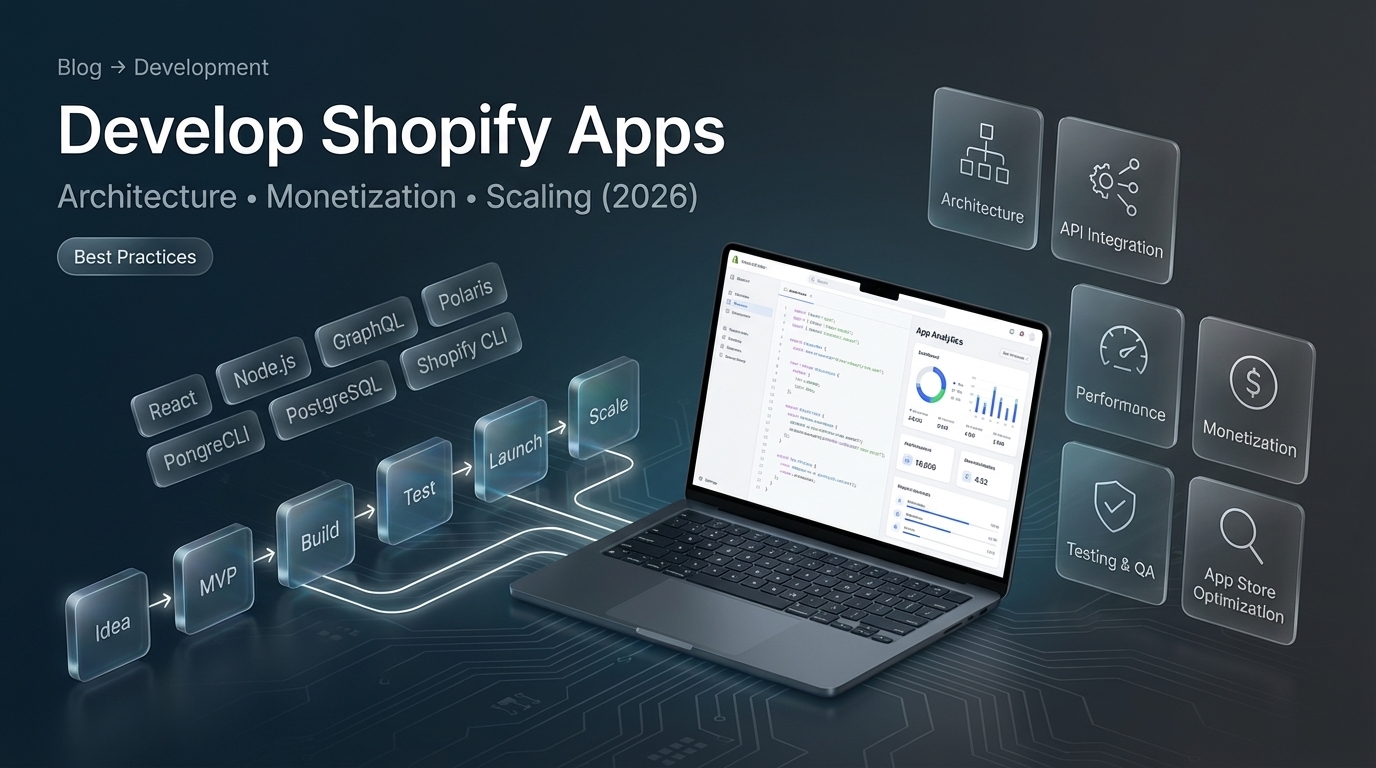
How to Develop Shopify Apps: Strategic Overview
Quick answer: To develop Shopify apps successfully, use Shopify CLI for setup, build with React (frontend) + Node.js (backend), integrate Shopify APIs, follow Shopify design guidelines (Polaris), test thoroughly, and deploy strategically. Plan for scalability, proper authentication, and monetization from the start. Simple apps take 8-12 weeks, but subsequent apps are faster (4-8 weeks) when reusing code and patterns.
This guide focuses on strategies and best practices for developing successful Shopify apps, whether you’re building one app or multiple apps.
Looking for professional Shopify development services? We’ve built 65+ Shopify apps. Check out our Shopify development services for custom solutions.
Fuentes y Recursos Externos
- Shopify Developer Documentation - Documentación oficial de Shopify para desarrolladores
- Shopify Partners - Programa oficial de partners de Shopify
Development Strategy: Building Successful Shopify Apps
Start with a Strong Foundation
Foundation Checklist
- Solve a real merchant problem (validate with market research)
- Define clear MVP scope (minimum viable features)
- Choose right tech stack (React + Node.js recommended)
- Plan for scalability from day one
- Design for good user experience (use Polaris)
- Plan monetization strategy early
- Set up proper development workflow
Development Workflow
-
Market Research
Identify merchant pain points, analyze competitors, validate demand. Talk to merchants, check App Store reviews of similar apps, find gaps.
-
Define MVP
List must-have features for launch. Keep it simple - you can add features later. Aim for solving one core problem well.
-
Architecture Planning
Design app structure, database schema, API endpoints, and user flows. Document decisions. This saves time during development.
-
Development Setup
Set up Partner account, development stores, Shopify CLI, code repository, and development environment. Create project template if building multiple apps.
-
Build & Iterate
Develop core features, test frequently, get early feedback. Use development stores extensively. Deploy features incrementally.
-
Testing & Refinement
Test on multiple stores, different data sets, edge cases. Fix bugs, optimize performance, improve UX based on testing.
-
Launch & Monitor
Deploy to production, monitor performance, gather user feedback, iterate quickly. Plan for App Store submission if public app.
Architecture Best Practices
Recommended Tech Stack
| Component | Technology | Why It's Best |
|---|---|---|
| Frontend | React + App Bridge | Shopify's standard, Polaris integration |
| Backend | Node.js + Express | JavaScript ecosystem, Shopify CLI support |
| Database | PostgreSQL | Reliable, scalable, good for production |
| API Communication | GraphQL | Efficient, flexible, Shopify's preferred |
| Authentication | OAuth 2.0 | Shopify's standard auth flow |
| Hosting | Heroku/Railway/AWS | Scalable, reliable, easy deployment |
| Monitoring | Sentry + Analytics | Error tracking and usage insights |
Architecture Patterns
1. Modular Frontend
- Separate components into reusable modules
- Use React hooks for state management
- Implement proper loading and error states
- Follow Polaris design system
2. RESTful Backend
- Organize routes logically (
/api/products,/api/orders) - Use middleware for authentication
- Implement proper error handling
- Add request validation
3. Efficient API Usage
- Use GraphQL for complex queries (reduces API calls)
- Implement caching (Redis or in-memory)
- Use webhooks instead of polling
- Batch API requests when possible
4. Database Design
- Normalize data structure
- Index frequently queried fields
- Plan for data growth
- Implement proper migrations
Architecture Best Practices
- Separate concerns (frontend/backend/database)
- Use environment variables for configuration
- Implement proper logging and error tracking
- Plan for horizontal scaling
- Use version control (Git) properly
- Document API endpoints and data models
- Implement rate limiting for API calls
Developing Multiple Apps: Strategy
If you’re planning to build multiple Shopify apps, follow these strategies:
Code Reusability
-
Create Shared Libraries
Extract common functionality into npm packages or shared modules. Examples: API clients, authentication helpers, utility functions.
-
Build App Template
Create a starter template with common setup, authentication, error handling, and structure. Use this for all new apps.
-
Reuse Components
Build React components library that can be used across apps. Maintain consistency in design and functionality.
-
Standardize Patterns
Define coding standards, folder structure, and patterns. Document them. Makes development faster and code more maintainable.
App Portfolio Strategy
| Strategy | Description | Best For |
|---|---|---|
| Single Focus | One app, deep features | Solving complex problem |
| App Suite | Multiple related apps | Ecosystem approach |
| Vertical Apps | Apps for specific industries | Niche markets |
| Horizontal Apps | Apps for all stores | Mass market |
| App + Service | App + consulting/development | Full solution provider |
Best Practices:
- Start with one successful app, then expand
- Build apps that solve related problems
- Consider apps that can cross-sell each other
- Maintain consistent quality across portfolio
Monetization Strategies
Pricing Models
| Model | Description | Examples | Best For |
|---|---|---|---|
| Subscription | Monthly/yearly recurring | $9.99-$99+/month | Ongoing value apps |
| One-time | Single payment | $49-$499 one-time | Setup/config apps |
| Usage-based | Pay per use | $0.01 per transaction | Payment/processing apps |
| Freemium | Free + paid tiers | Free + $19-$99/month | Growth strategy |
| Revenue Share | Percentage of sales | 2-5% of revenue | Revenue-generating apps |
Implementing Billing
Shopify provides Billing API for subscriptions:
// Create recurring charge
const recurringCharge = await shopify.graphql(`
  mutation {
    appSubscriptionCreate(
      name: "Pro Plan"
      lineItems: [{
        plan: {
          appRecurringPricingDetails: {
            price: { amount: 29.99, currencyCode: USD }
            interval: EVERY_30_DAYS
          }
        }
      }]
      returnUrl: "https://yourapp.com/confirm"
    ) {
      appSubscription {
        id
      }
      confirmationUrl
    }
  }
`);
Billing Best Practices:
- Start with simple pricing (1-2 tiers)
- Offer free trial or freemium tier
- Make upgrade path clear
- Provide value at each tier
Testing & Quality Assurance
Testing Strategy
Testing Checklist
- Unit tests for business logic
- Integration tests for API endpoints
- E2E tests for critical user flows
- Manual testing on development stores
- Load testing for performance
- Security testing (OAuth, data validation)
- Cross-browser testing
- Mobile responsiveness testing
Testing Tools
- Jest: Unit testing for JavaScript
- Supertest: API endpoint testing
- Cypress/Playwright: E2E testing
- Shopify CLI: Local development and testing
- Postman: API testing and documentation
Performance Optimization
Key Performance Areas
| Area | Optimization | Impact |
|---|---|---|
| API Calls | Use GraphQL, batch requests, cache | High |
| Database | Index queries, optimize queries | High |
| Frontend | Code splitting, lazy loading | Medium |
| Images | Optimize, use CDN | Medium |
| Caching | Redis, in-memory cache | High |
| Webhooks | Use webhooks instead of polling | High |
Critical Performance Tips:
- Cache Shopify API responses (respect rate limits)
- Minimize API calls (use GraphQL efficiently)
- Optimize database queries
- Use webhooks for real-time updates
- Implement proper loading states
Common Mistakes & How to Avoid Them
Mistakes to Avoid
- Over-engineering MVP - start simple
- Ignoring Shopify design guidelines - use Polaris
- Poor error handling - test edge cases
- Not testing on real stores - use development stores
- Requesting unnecessary permissions - minimum required
- Not planning for scale - design for growth
- Weak onboarding - make first experience great
- Ignoring App Store optimization - optimize listing
- Not monitoring performance - use analytics
- Ignoring user feedback - iterate based on needs
Development Timeline & Cost
Summary: Development Timeline & Resources
| App Complexity | Development Time | Team Size | Cost Range |
|---|---|---|---|
| Simple App (MVP) | 6-10 weeks | 1 developer | $20K-$35K |
| Medium App | 12-20 weeks | 1-2 developers | $35K-$60K |
| Complex App | 20-40 weeks | 2-4 developers | $60K-$150K+ |
| Subsequent Apps | 4-8 weeks | 1-2 developers | $15K-$40K |
| App Suite (3 apps) | 16-32 weeks | 2-3 developers | $80K-$180K |
Pro tip: Subsequent apps are 40-50% faster when reusing code libraries and templates. Build your first app well, and use it as foundation for future apps.
Cost Breakdown
Development Costs:
- Simple app: $20,000-$35,000
- Medium app: $35,000-$60,000
- Complex app: $60,000-$150,000+
Ongoing Costs:
- Hosting: $50-$500/month (depending on scale)
- Database: $10-$100/month
- Monitoring: $0-$50/month
- Maintenance: 10-20% of dev cost/year
Best Practices Summary
-
Start with MVP
Build minimum viable product first. Validate core functionality and merchant demand before adding features. Faster time to market.
-
Follow Shopify Guidelines
Use Polaris design system, App Bridge framework, and follow Shopify UX patterns. Ensures native feel and better merchant experience.
-
Optimize Performance
Cache API calls, use GraphQL efficiently, optimize database queries, implement webhooks. Fast apps get better reviews and retention.
-
Test Thoroughly
Test on multiple stores, different data scenarios, edge cases. Use automated testing where possible. Catch bugs before merchants do.
-
Plan for Growth
Design architecture for scale, plan database structure, implement proper monitoring. Easier to scale when designed correctly from start.
-
Gather Feedback
Talk to merchants, read reviews, iterate based on real needs. User feedback is gold - use it to improve continuously.
App Store Optimization (ASO)
If building public apps, optimize for App Store discovery:
App Store Optimization Checklist
- Clear, keyword-rich app name
- Compelling description with benefits
- High-quality screenshots (5+ screens)
- Demo video showing app in action
- Strong app icon (1024x1024px)
- Positive reviews and ratings
- Regular updates and new features
- Quick response to merchant questions
FAQ
Frequently asked questions
How to develop Shopify apps?
To develop Shopify apps successfully: 1) Create Shopify Partner account and development stores, 2) Use Shopify CLI for project setup, 3) Build with React (frontend) and Node.js (backend), 4) Integrate Shopify APIs (Admin API, GraphQL), 5) Implement proper authentication (OAuth), 6) Test thoroughly in development stores, 7) Deploy to hosting platform, 8) Submit to App Store (if public). Follow Shopify design guidelines, use Polaris components, and plan for scalability from the start.
What is the best strategy for developing multiple Shopify apps?
Best strategy for multiple apps: Start with one successful app, then identify complementary problems to solve. Reuse code libraries and components across apps. Build apps that solve related merchant pain points. Use consistent tech stack (React + Node.js). Create a development workflow and template. Focus on apps that can cross-sell each other. Plan for maintenance and updates. Consider app bundles or suites for better positioning.
How long does it take to develop Shopify apps?
Simple apps take 8-12 weeks, medium apps take 12-20 weeks, and complex apps take 20-40+ weeks. Timeline depends on features, team size, and experience. MVP can be built in 6-8 weeks. Subsequent apps are faster (4-8 weeks) if reusing code and patterns from first app. Planning and architecture decisions add 1-2 weeks upfront but save time later.
What architecture patterns work best for Shopify apps?
Best architecture patterns: Separate frontend (React) and backend (Node.js) for scalability. Use GraphQL for efficient data fetching. Implement proper caching for API calls. Use webhooks instead of polling. Database per app or shared database for related apps. Microservices architecture for complex apps. Serverless functions for specific features. Always follow RESTful API principles for backend endpoints.
How do you monetize Shopify apps?
Shopify apps can be monetized via: 1) Subscription billing (monthly/yearly recurring charges via Shopify Billing API), 2) One-time charges (setup fees, one-time purchases), 3) Usage-based pricing (per transaction, per API call), 4) Freemium model (free tier + paid features), 5) Revenue share (percentage of sales processed). Most successful apps use subscription model ($10-$99+/month) with different tiers (Basic, Pro, Enterprise).
What are common mistakes when developing Shopify apps?
Common mistakes: Over-engineering (too many features in MVP), ignoring Shopify design guidelines, poor error handling, not testing on real stores, requesting unnecessary API permissions, not planning for scale, weak onboarding experience, ignoring App Store optimization (ASO), not monitoring app performance, and not gathering user feedback. Always start with MVP, test early, and iterate based on real merchant needs.
Conclusion
Developing Shopify apps successfully requires: solid strategy, proper architecture, thorough testing, and continuous iteration. Start with MVP, follow Shopify guidelines, optimize for performance, and gather merchant feedback.
Key takeaways:
- Plan before coding - Architecture decisions save time later
- Start simple - MVP first, features later
- Reuse code - Subsequent apps are 40-50% faster
- Test thoroughly - Use development stores extensively
- Monitor performance - Fast apps get better reviews
- Iterate based on feedback - Real merchant needs guide development
Timeline: First app takes 8-16 weeks, but subsequent apps can be built in 4-8 weeks when reusing patterns and libraries. Build your first app well, and it becomes the foundation for your app portfolio.
Whether you’re building one app or multiple apps, following these strategies and best practices will set you up for success in the Shopify app ecosystem.